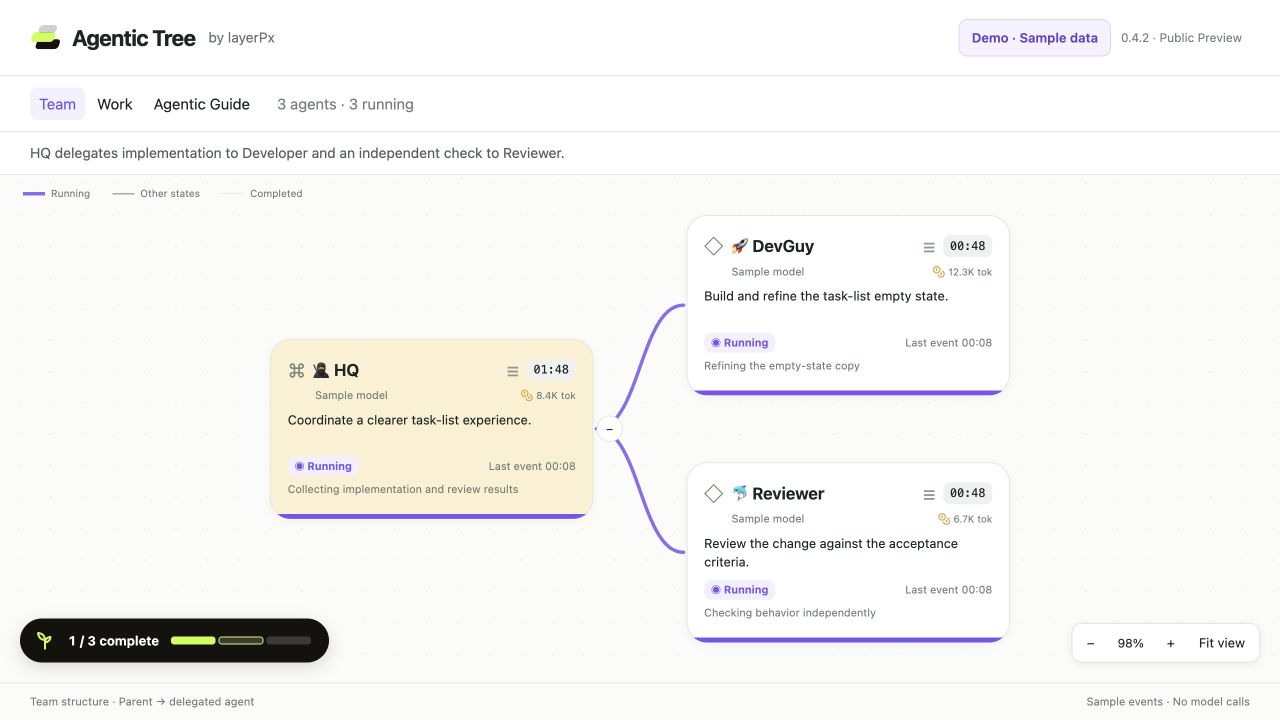
Team
See how HQ delegates work to DevGuy and Reviewer. The selected session and its child agent sessions on one canvas: delegation links from parent to child, branches you can collapse while you look around.
NEW · A FREE PLUGIN FOR DEEPSEEK HARNESS
Agentic Tree by layerPx
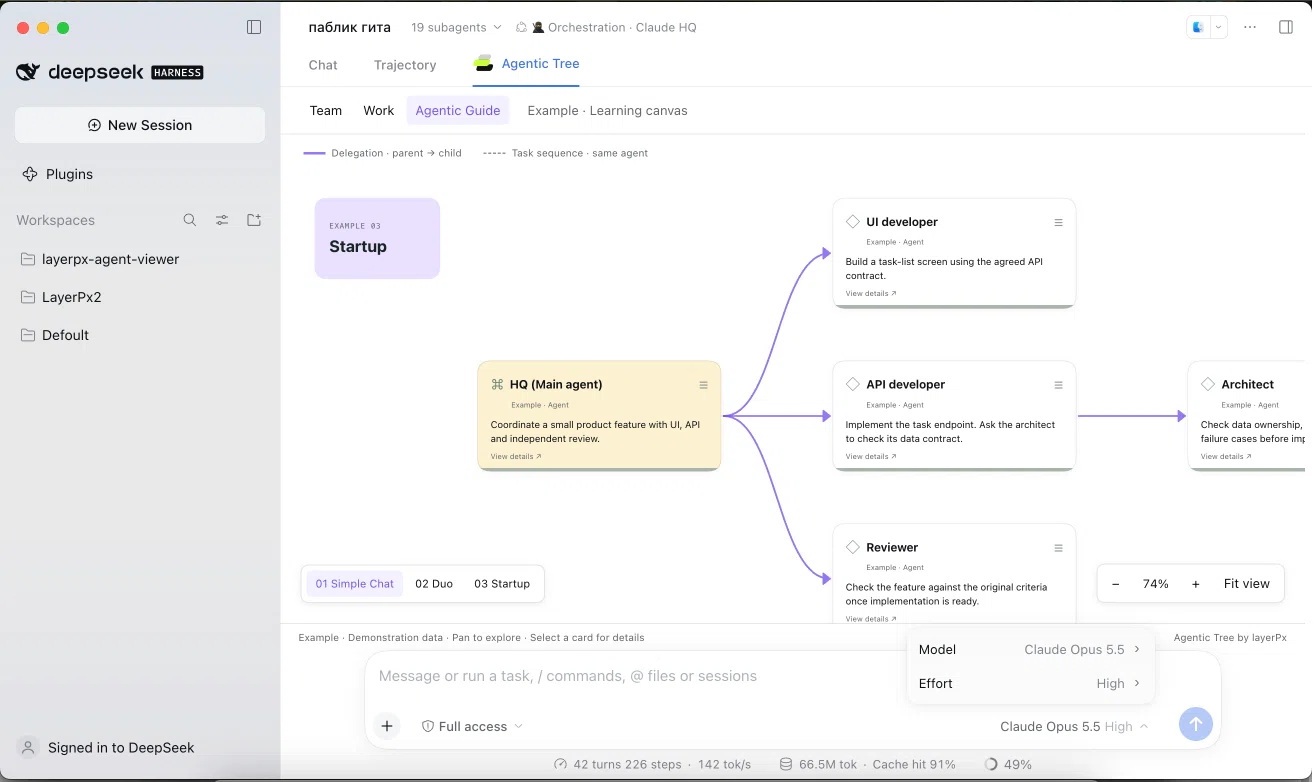
Agentic Tree is a free plugin for DeepSeek Harness. It shows the shape of your agent team: which session delegated to which, what every run is doing right now, and how a run finished — on one canvas, next to Chat and Trajectory.
v0.4.2 · PUBLIC PREVIEW · WORKS WITH DEEPSEEK HARNESS 0.2.0-RC.2
The environment
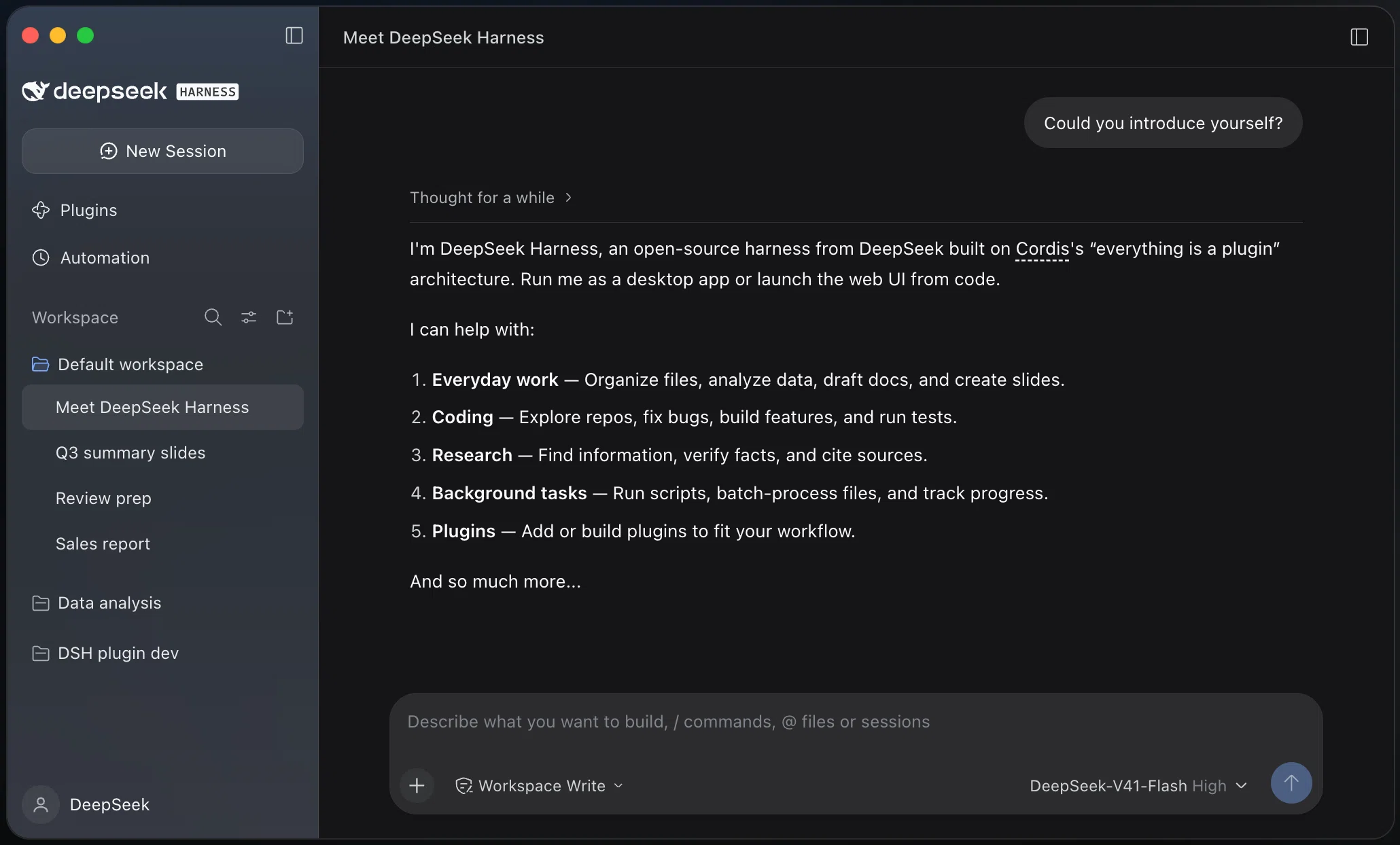
DeepSeek Harness is DeepSeek's open-source agent harness: a desktop app and a web UI where agents read your files, run commands and take on whole tasks. Plugins extend what they can do — Agentic Tree is one of them. Official site.
The plugin
One tab in Harness: two views of your session, plus an interactive guide with teaching examples. Everything below is a recording on sample data — no real session, no model calls.
Follow a sample team in motion: 14 agents, 24 runs, one live view. The recording holds 81% zoom; the released Live camera uses 56%.
See how HQ delegates work to DevGuy and Reviewer. The selected session and its child agent sessions on one canvas: delegation links from parent to child, branches you can collapse while you look around.
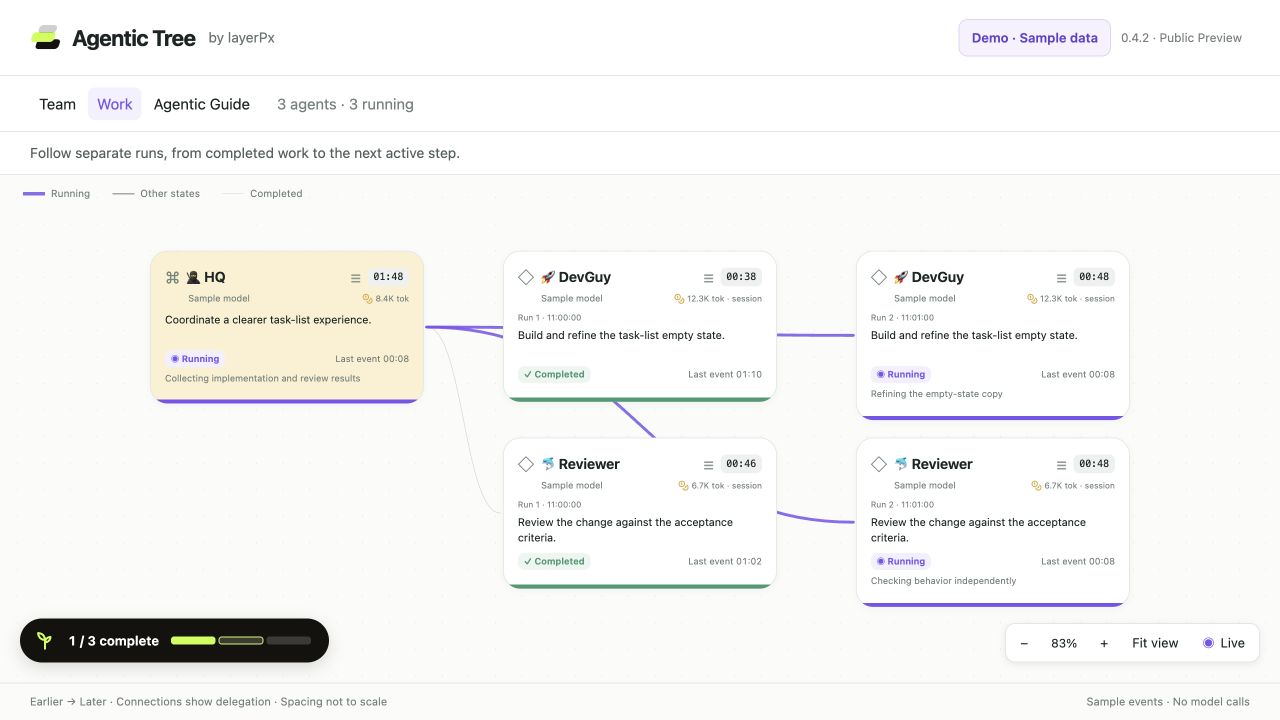
Follow separate runs, from completed work to the next active step. Every run of an agent is its own card, background jobs keep their own state, and the optional Live camera follows whatever is running now.
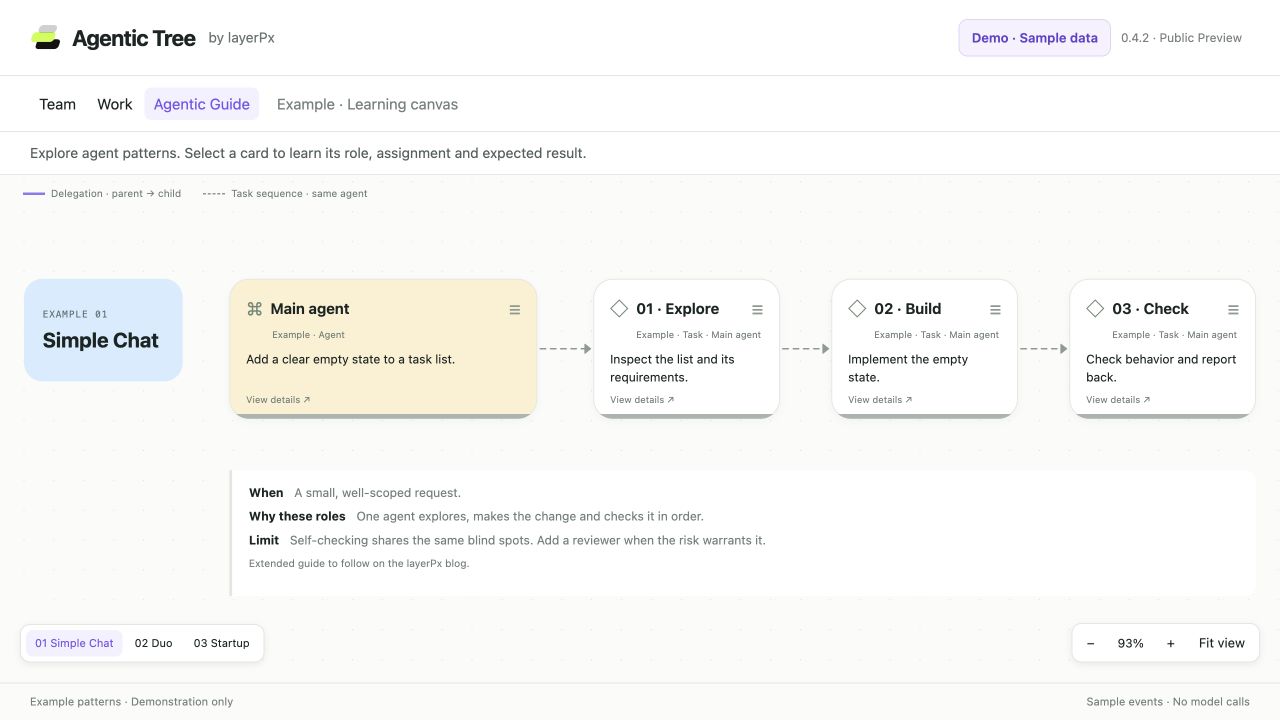
Explore sample agent patterns with roles, tasks and practical limits. Simple Chat, Duo and Startup on the same canvas — solid purple arrows are delegation, dashed grey arrows are tasks one agent does in a row.
Click any card to inspect its assignment, recorded model, status, duration and tool calls. The plugin only reads what Harness records: it does not launch, stop or prompt agents, adds no model connections and no telemetry, and needs no API key. The plugin is free; model usage stays billed by your model provider.
Setup
Two routes: go straight to step 2 if you already run DeepSeek Harness, or set up Harness first if this is your first time with it. Running the sample task uses model tokens and may incur charges.
layerpx-harness-agent-viewer-0.4.2.tgz and SHA256SUMS into one folder. Do not take Source code (zip) or Source code (tar.gz): those are source snapshots, not the installation package.
shasum -a 256 -c SHA256SUMS on macOS: it answers layerpx-harness-agent-viewer-0.4.2.tgz: OK. On Windows run Get-FileHash .\layerpx-harness-agent-viewer-0.4.2.tgz -Algorithm SHA256 in PowerShell and compare the hash it prints with the expected SHA-256 of the archive, 27dc75aef1d657155fb88510d2a6b94155786e0d5fd897e3949ffebe0786a5d6.
.tgz file. Install it and turn it on. Prefer the command line? Install the dsh command once with Manage dsh Command, then run dsh plugin --profile <profile> add /absolute/path/to/layerpx-harness-agent-viewer-0.4.2.tgz.
Use two subagents. One lists the top-level files and folders in this workspace; the other reads the README (if there is one) and summarizes it in three sentences. Then combine both answers into a short overview.When the answer arrives, open Team: HQ and the two agents with their links. Work shows their runs. If the model decides not to delegate, Team shows HQ alone — ask again, naming subagents explicitly.
Troubleshooting
Restart Harness completely and check that the plugin is installed and enabled in Plugins. A tab appears only after a full restart, not after a reload of the window.
This preview is verified on 0.2.0-rc.2 only; other versions are unverified, so the plugin may fail on them. Report what you see on the issue tracker — the independent installation check of v0.4.2 is still pending.
That archive is a source snapshot, not the installation package. Go back to the release Assets and take layerpx-harness-agent-viewer-0.4.2.tgz with SHA256SUMS.
Open Plugins, disable or remove @layerpx/harness-agent-viewer, then restart Harness. Nothing in your sessions or workspaces is deleted with it.
Agentic Tree is a public preview, and it shows what Harness itself records: background-job history comes from the running host and can disappear when it restarts, and event input or results exist only where your build wrote them. When something looks wrong, the fastest route is an issue with your Harness version and what you expected to see.